
Record a Memory: Speak or Type — Keep Voice and Text Forever
Some stories are easier to say than to write. Others want to be typed carefully, one sentence at a time.
Record a Memory gives you both—without a studio, a script, or an hour-long interview. Open Archiver Stories, tap capture, and choose how you want to remember.
Start from Capture a Memory
From 01 Capture a Memory, you can record a story with Johnny, drop a file, or—what this post is about—Record a Memory for a short note that belongs in your vault right away.
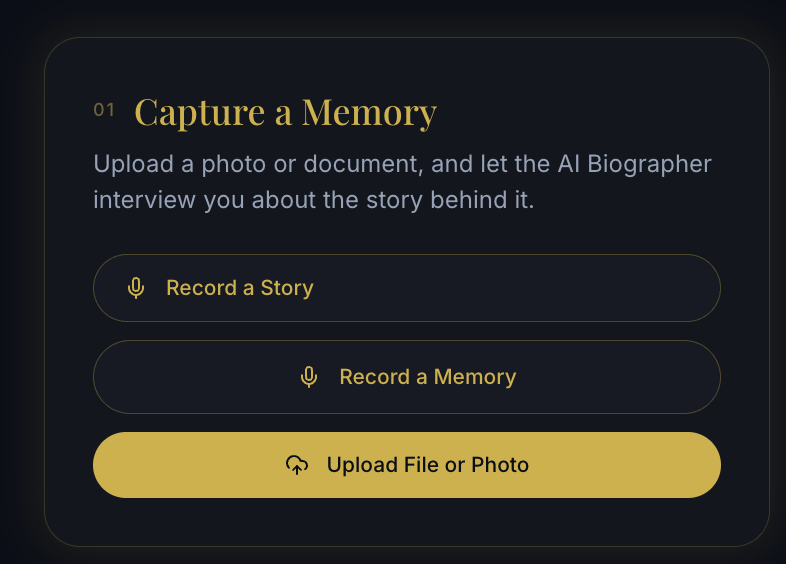
One card. Three clear paths. The new path is built for the moment you think: I should capture this before I forget.
Voice or typing — your choice
Tap Record a Memory and we ask a simple question: how would you like to record?
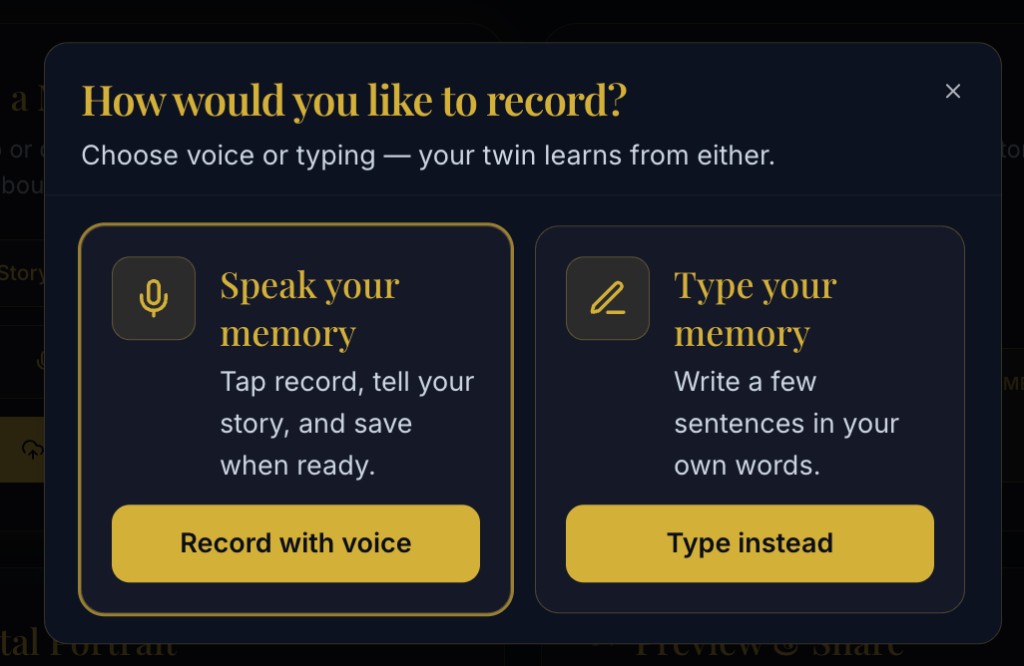
- Speak your memory — tap record, tell the story, save when ready.
- Type your memory — write a few sentences in your own words.
Your Digital Twin learns from either. Families do not have to convert every feeling into a typing session—or force a recording when they would rather write.
Speak in the language that feels like home
Voice recording is deliberately simple: an optional title, a big Start recording button, and a language bar you can change before you begin.
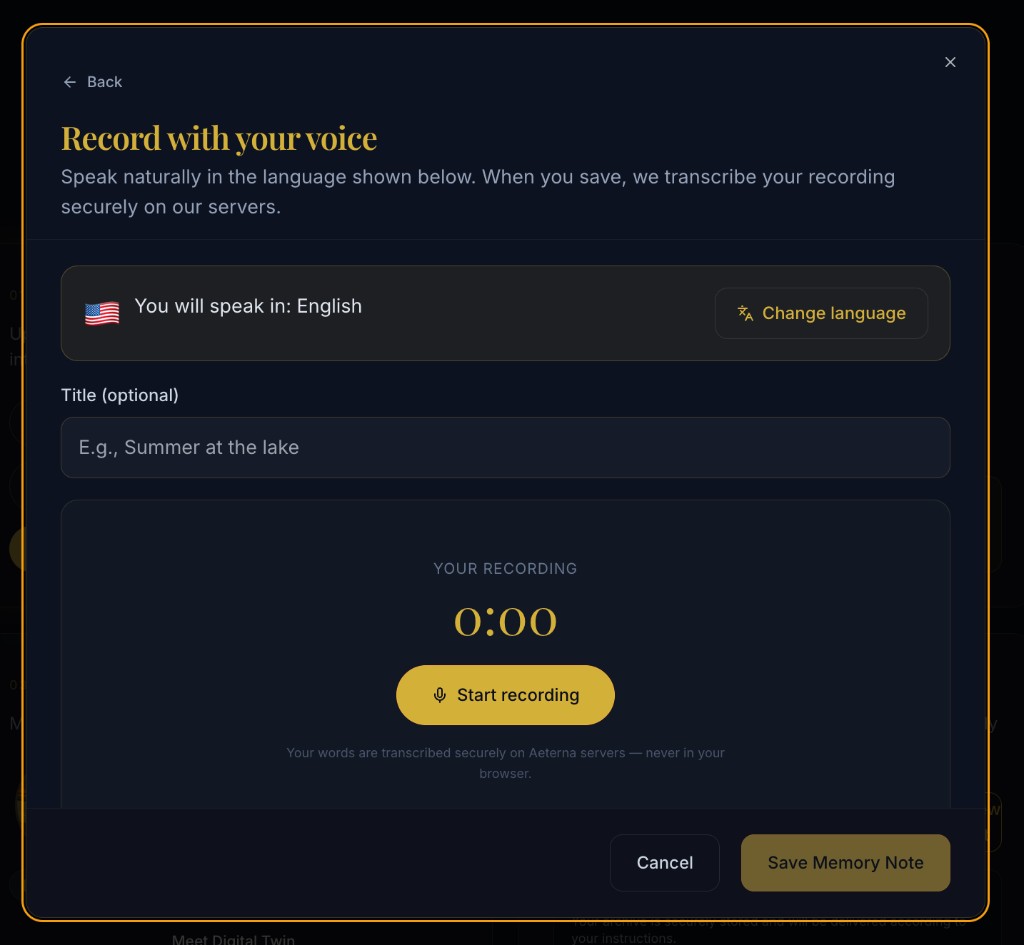
You will speak in the language shown. When you save, we transcribe securely on Aeterna servers—never in the browser—so accuracy stays with us and your words stay yours.
That matters if your family switches between languages at the dinner table. Grandma can speak in Hebrew, Spanish, Arabic, or English; the vault keeps the original voice and the written transcript together.
Prefer to type? Same vault, same forever
Not every memory wants a microphone. Some days you want quiet and a keyboard.
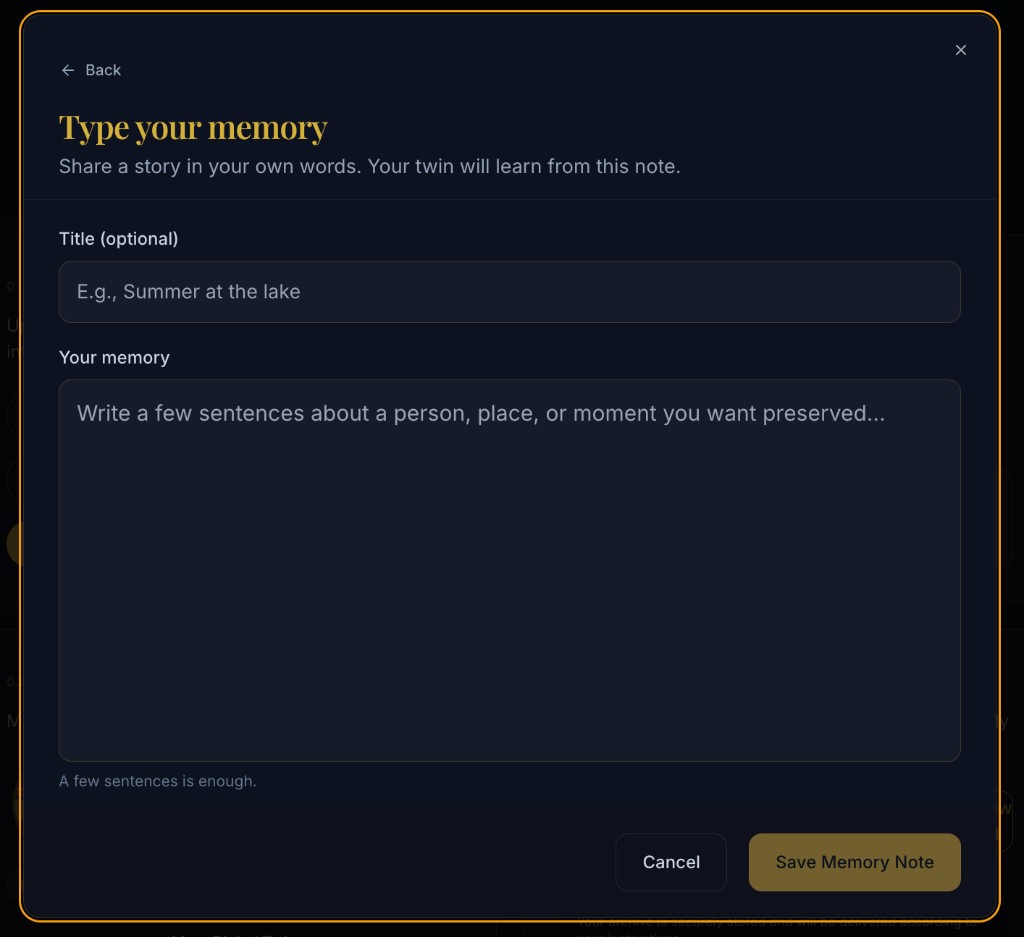
Give it an optional title, write a few sentences about a person, place, or moment, and save. A few sentences is enough. The note still feeds the twin—and it sits next to your voice memories in Archiver Stories.
Saved: your voice, your words, your tags
Open a voice memory afterward and you will see why this feels like keeping something, not just uploading a file.
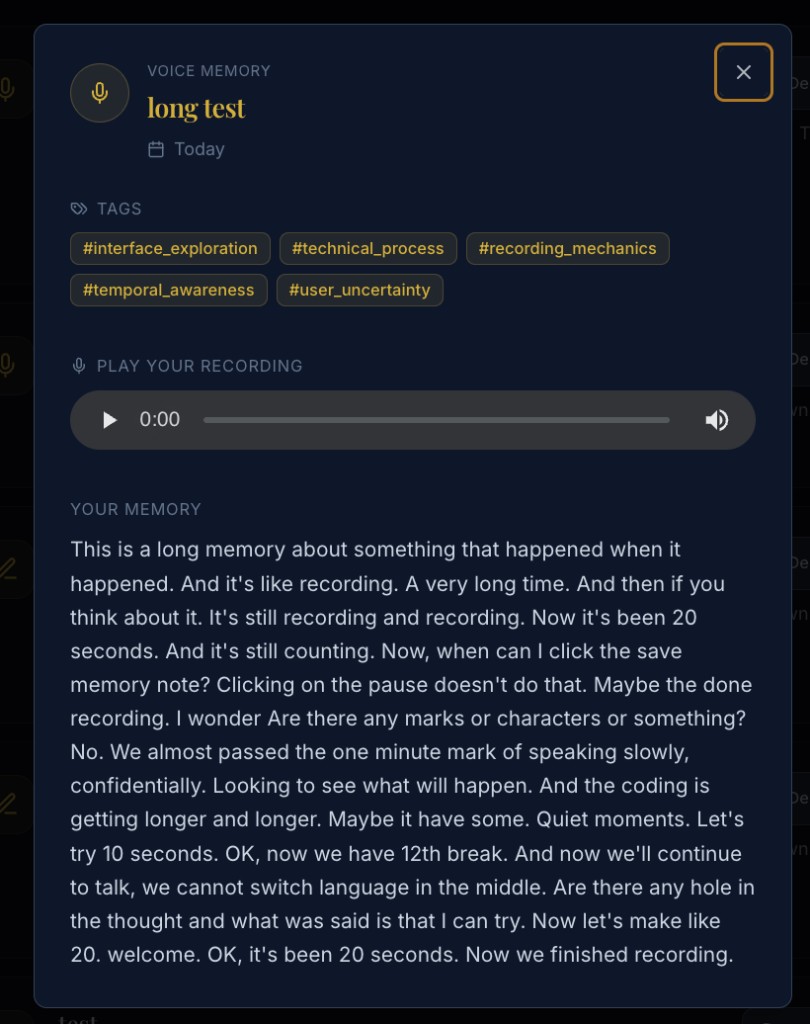
You get:
- Playback of the original recording
- Tags that make the memory findable later
- Your memory as readable text—the transcript of what you said
And when something is slightly off—a wrong tag, a mistranscribed name—you can fix it without starting over.
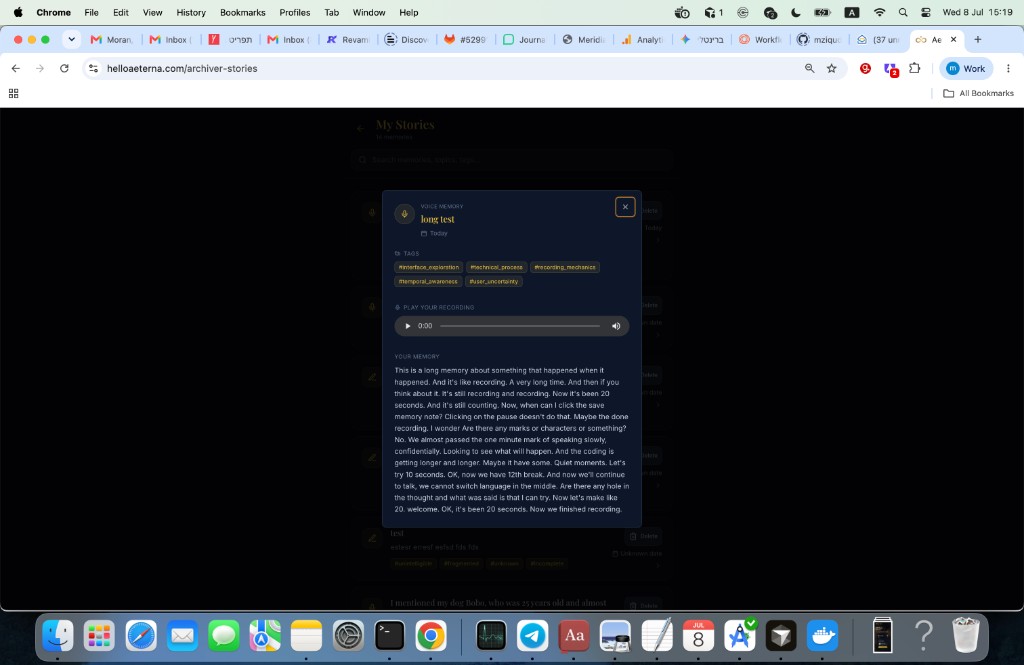
Edit tags. Edit the transcript. Download the original audio to your phone or computer. Perfecting the memory is part of the product, not a support ticket.
Forever, on purpose
Text alone loses the laugh, the pause, the way someone says a grandchild’s name.
Audio alone is hard to search and hard to quote in a letter.
Record a Memory keeps both—the human sound and the readable words—in one place your family can return to. Download when you want a copy on your device. Edit when you want the story to land just right.
That is the whole idea: make capturing a memory as easy as telling it once, then make keeping it as careful as it deserves.
Ready to try it? Open Archiver Stories, choose Record a Memory, and speak—or type—the next piece of family history.