
Record a Memory Now Supports Video — You Asked, We Listened
The number one request from families across the world landed in our inbox every single week:
"Can we record the camera, not just the voice?"
Today, the answer is yes.
Record a Memory now captures your video alongside your voice — the laugh lines, the hand gestures, the smile when you say a grandchild's name — everything that makes a story yours.
Built for families in the United States, Europe, the Middle East, Asia, and every family scattered between. Available in over 20 languages. Designed for the grandmother in Tel Aviv, the grandfather in Madrid, the parent in Tokyo, the cousin in São Paulo.
Every story deserves to be seen. Not just heard.
Why Video? Because Voice Told Us
A voice note preserves the sound. A video preserves the person.
Think about the last family video you rewatch. You do not only listen to the words. You watch:
- The way Dad leans in when he gets to the good part
- The hands that gesture while Grandma tells the story she has told forty times
- The smile that creeps in halfway through a sentence about someone you love
- The pauses, the eyes, the breath in between
Text loses that. Audio alone loses part of it. Video keeps the whole human moment.
That is why families asked us for it. That is why we built it.
How to Record Your First Video Memory — 6 Simple Steps
Video lives inside the same Record a Memory flow you already know. No new buttons to learn. No app update required. Every action below is reachable directly from your Archiver dashboard.
Before you begin: You will grant camera + microphone permission once in your browser. Aeterna only accesses these inputs during recording, never in the background. Once saved, both video and audio are encrypted at rest in your private Aeterna safe.
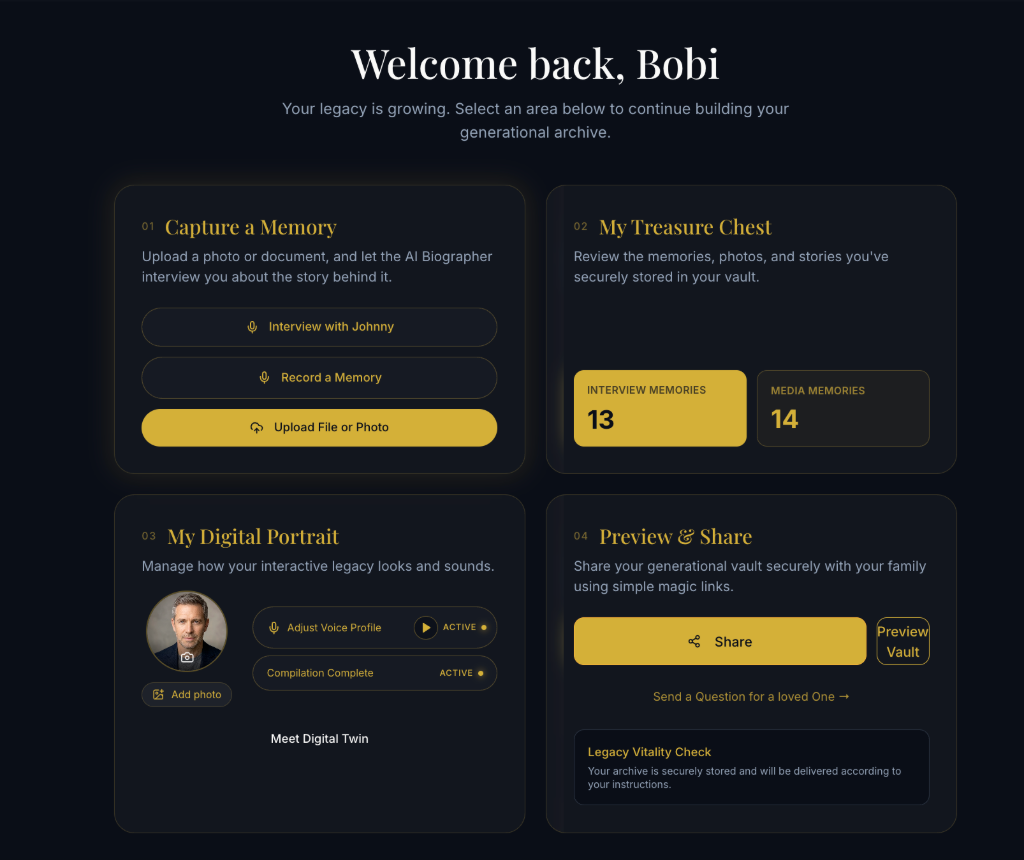
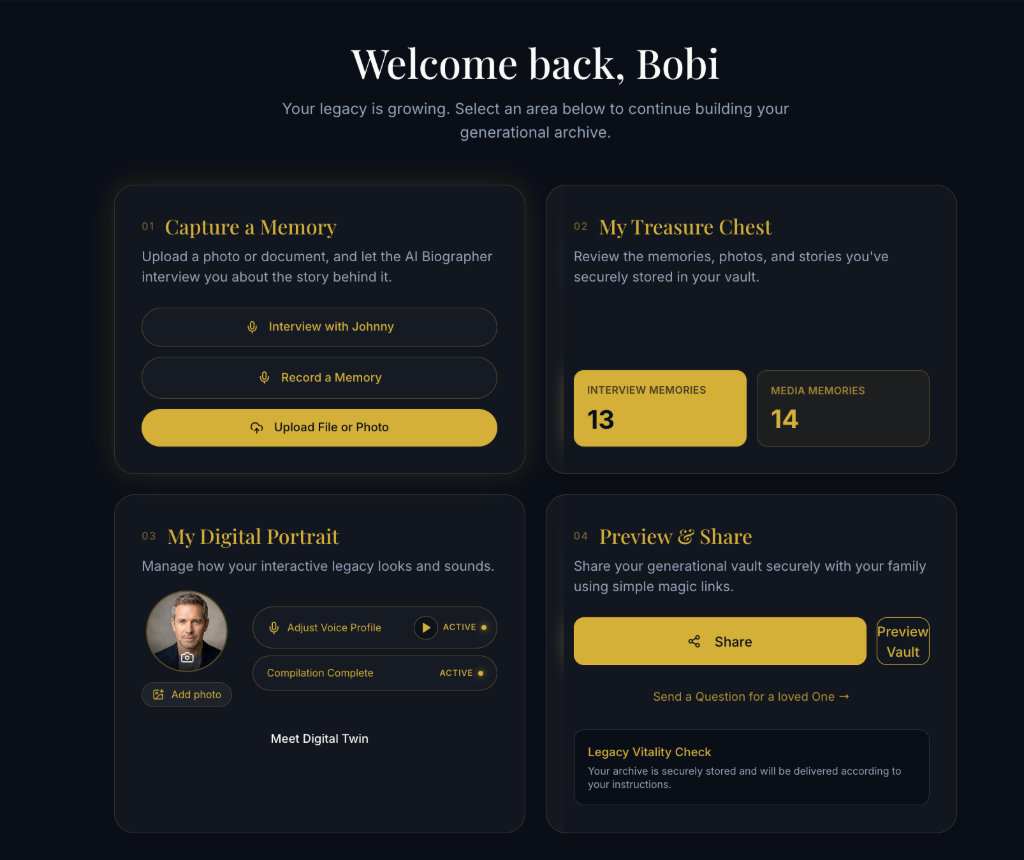
Step 1 — From your dashboard: choose Record a Memory
From the Archiver Stories dashboard, locate the Capture a Memory card. Inside it you will see two options and an upload button. Tap the second option: Record a Memory (microphone icon, dark pill).
This opens the same recording interface you already use for voice notes. Video mode is an upgrade inside the voice flow — so every memory starts here, regardless of whether you choose audio-only or audio+video.
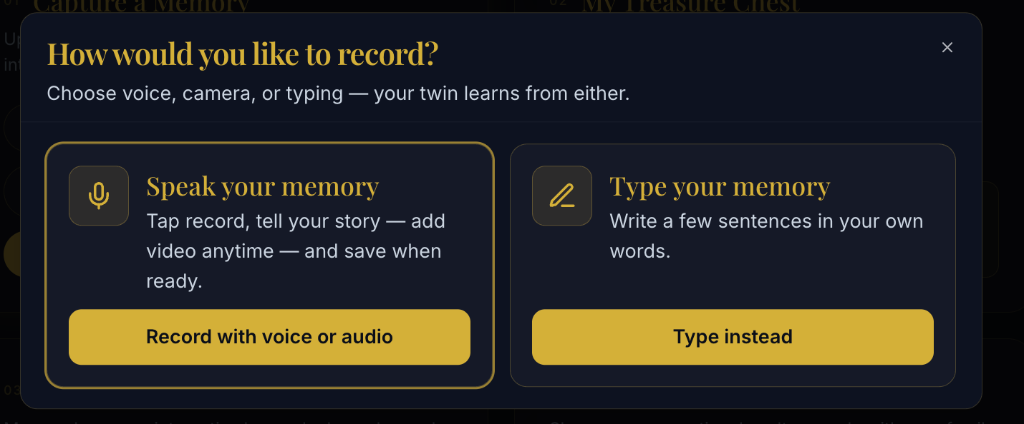
Step 2 — Choose Speak your memory (Record with voice or audio)
Next, the mode chooser appears. Two large cards sit side by side:
- Speak your memory — microphone icon, gold border, highlighted. Tap the Record with voice or audio gold button on this card.
- Type your memory — pen icon, for text-only notes. Video only works with voice recordings today, so choose the left card.
Step 3 — Activate Video as well, and verify your transcription language
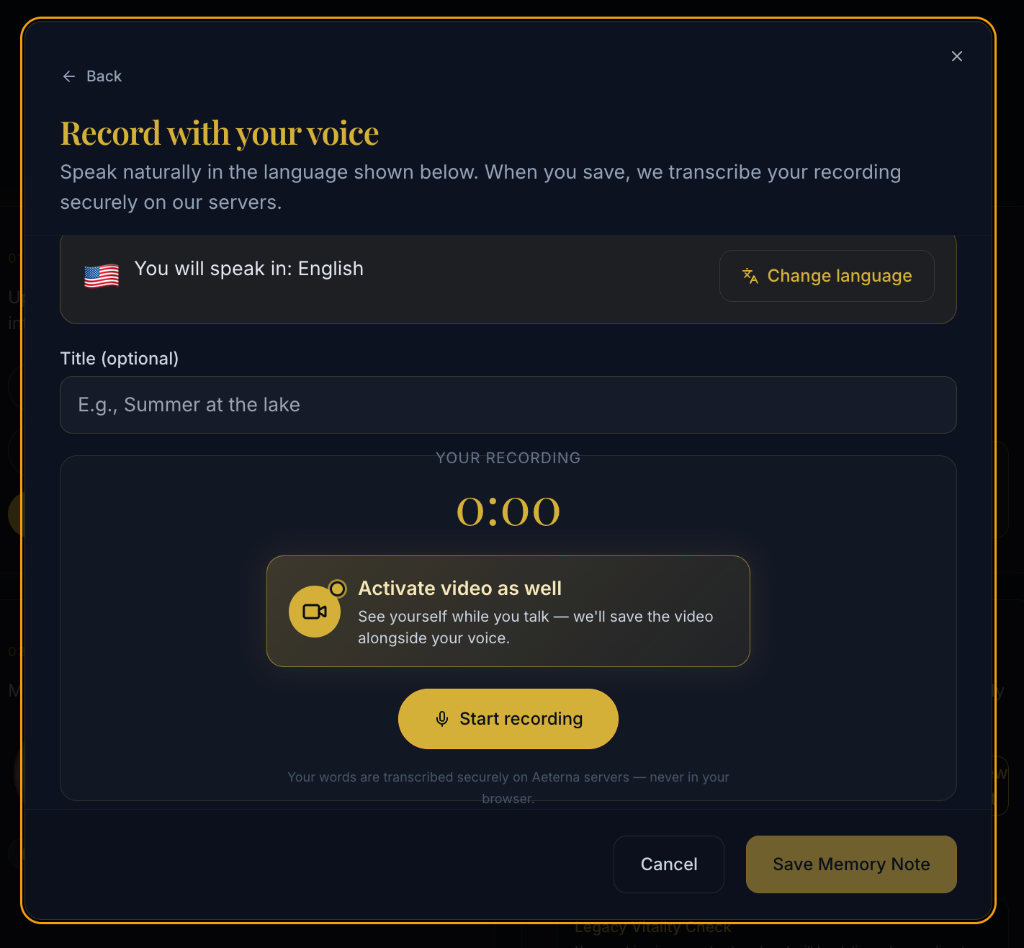
You are now on the Record with your voice panel. Two critical actions here. Do both.
Tap the language selector first. At the top of the screen, below the headline, a bar shows a flag and reads You will speak in: English (or your default locale). To its right is a Change language button. Tap it and select the exact language you will speak in — Hebrew for a Hebrew story, Spanish for a Spanish story, Mandarin for a Mandarin story, Portuguese for Portuguese. Aeterna uses this setting to run server-side transcription and tag your memory. The better this matches your speech, the more accurate your transcript.
Tap Activate video as well. Below the timer (currently 0:00), a large gold-bordered callout appears with a video-camera icon and the text Activate video as well — See yourself while you talk — we will save the video alongside your voice. Tap it once. Your browser will request camera permission if you have not granted it already.
You are telling Aeterna two things in this step: what to transcribe, and how to capture you. Get both right and every downstream step works perfectly.
Step 4 — Confirm you understand the recording terms
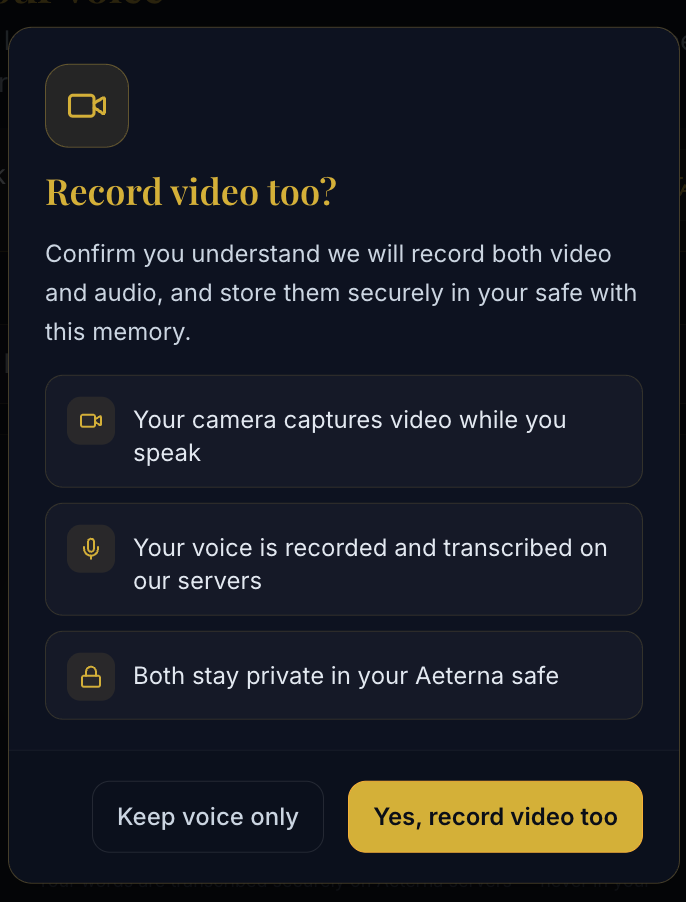
A consent dialog slides in, titled Record video too?. It lists three bullet points, one per icon:
- 🎥 Your camera captures video while you speak
- 🎙️ Your voice is recorded and transcribed on our servers
- 🔒 Both stay private in your Aeterna safe
Read it once. Two buttons sit at the bottom:
- Keep voice only (dark, outlined) — cancels the video upgrade and returns you to audio-only mode.
- Yes, record video too (solid gold) — confirms consent and activates the live camera preview.
Tap Yes, record video too to continue.
Step 5 — Record on camera, then tap Done recording
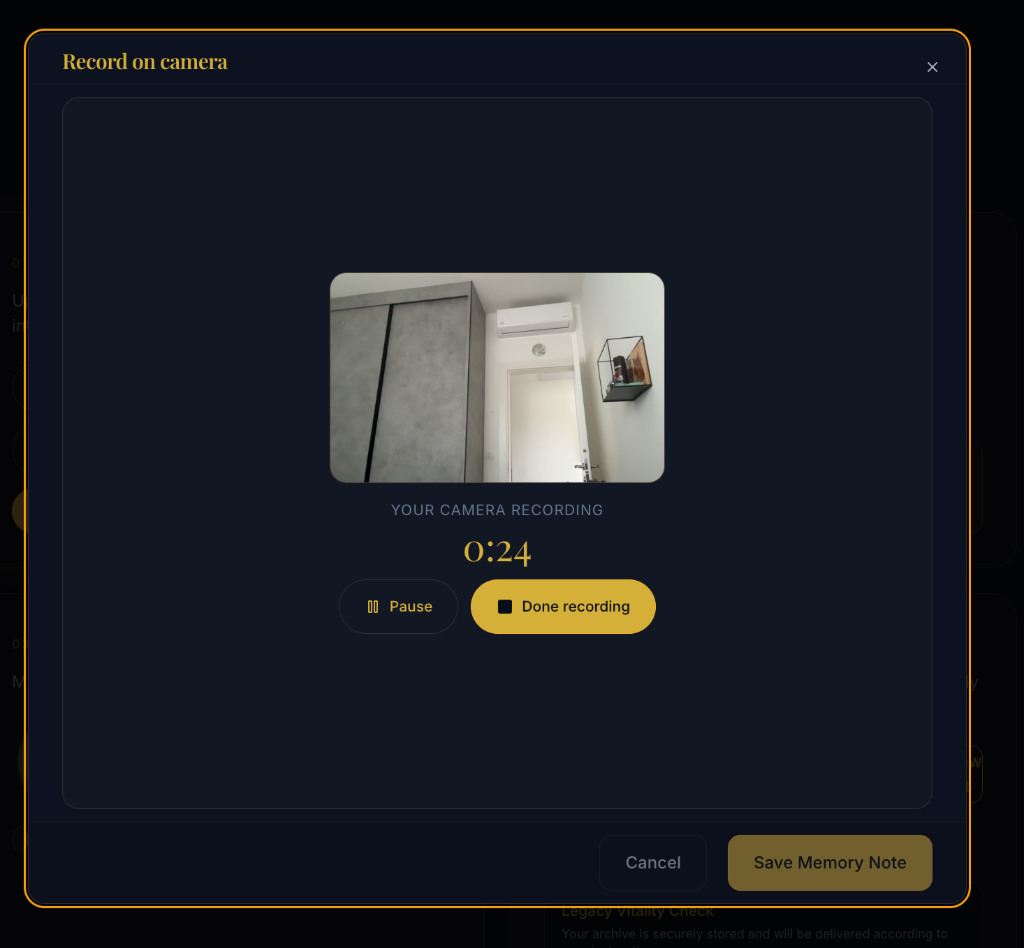
The header now reads Record on camera and a live video preview appears. A timer counts up from 0:00 as soon as recording begins.
- When you are ready to speak — tap Start recording (gold button). Speak naturally. Look at the camera, not the preview window. Pause for a drink or a breath any time with Pause (outlined). The recording file is appended to, never replaced, when you resume.
- When your story is complete — tap Done recording (solid gold). You will see a brief processing indicator while Aeterna uploads the full video + audio file securely.
Capture length is generous — enough for the long story, the tangent, the memory inside the memory. Cut it when it feels complete, not when a timer tells you to.
Step 6 — Review the playback, approve, and save
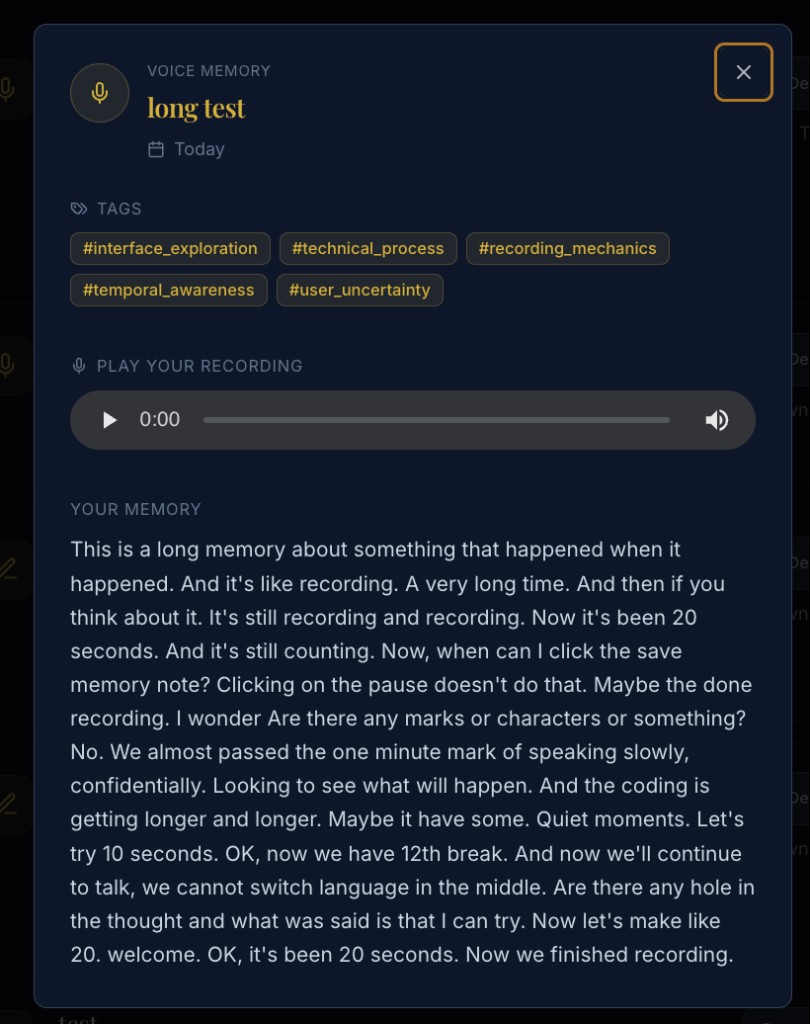
The final screen is your checkpoint before anything permanent is written to your vault. Four things happen here:
- Playback the video — Watch the recorded clip from start to finish. Does the story feel complete? Is the sound clear? Rewatch any section.
- Review the AI transcript — Aeterna transcribes every spoken word server-side in the language you chose in Step 3. Read it once.
- Edit anything the transcription missed — a name, a place, a sentence slightly garbled. The editable transcript field works like any regular text input.
- Save Memory Note — The solid gold button at the bottom-right finalizes everything: video file, audio track, searchable transcript, auto-detected tags, storage into your encrypted Aeterna safe. Only you, and the family members you share with, can ever open it.
That is it. Six steps. Your first video memory is now preserved forever.
Everything Families Love About Voice. Now With Video.
Everything that already worked for voice memories works exactly the same with video:
Feature Voice memories Video memories (NEW) Original recording saved forever ✅ ✅ Secure server-side transcription ✅ ✅ Over 20 transcription languages ✅ ✅ Editable transcript text ✅ ✅ Editable tags for search ✅ ✅ Pause and resume mid-recording ✅ ✅ Download original file to device ✅ ✅ Live playback before save ✅ ✅ (video + audio) Encrypted private Aeterna safe ✅ ✅ Feeds your Digital Twin ✅ ✅For Every Family. Everywhere.
Aeterna families live on six continents. They speak twenty-plus languages at dinner tables in three time zones before breakfast.
Video memory recording is built for all of them.
🌍 Global by design
- Works in every country where Aeterna is available. North America. South America. Europe. Africa. The Middle East. Asia. Asia-Pacific. If you can open helloaeterna.com, you can record video.
- No regional locks. No geo-restrictions. No country blocks. Just your story, your rules, your country, your video.
🗣️ Multilingual transcription
Choose the transcription language before you start. Currently supported:
🇺🇸 English · 🇪🇸 Spanish · 🇫🇷 French · 🇩🇪 German · 🇮🇱 Hebrew · 🇸🇦 Arabic · 🇨🇳 Chinese · 🇯🇵 Japanese · 🇰🇷 Korean · 🇵🇹 Portuguese · 🇷🇺 Russian · 🇵🇱 Polish · 🇳🇱 Dutch · 🇮🇹 Italian · 🇹🇷 Turkish · 🇸🇪 Swedish · 🇺🇦 Ukrainian · 🇭🇷 Croatian · 🇮🇩 Indonesian · 🇮🇳 Hindi — and growing.
Your grandmother speaks Hebrew? Your grandfather speaks Spanish? Your cousin speaks Portuguese?
All of it works. All of it transcribes. All of it stays in the same vault.
The Fine Print — The Privacy Promise
We know video is intimate. We know you are not just recording pixels and sound. You are recording yourself. The version of you that your grandkids will want to meet.
So we built video on exactly the same foundation as every other part of Aeterna:
- End-to-end encrypted storage. Your video lives encrypted in your safe. The same secure architecture that already protects thousands of family voice notes, documents, and photos.
- No third-party access. No one at Aeterna watches your videos. No one trains models on them. No one shares them. No one sells them. Ever.
- You control sharing. Share a video memory with exactly the people you choose — only when you choose. Unshare any time. Delete any time. Download the original MP4 any time.
- Optional, always. Video is a toggle, not a mandate. Record voice-only on Monday. Record video on Tuesday. Back to voice Wednesday. Your call, every memory, every time.
Built Because You Asked
This feature did not come from a product roadmap brainstorm in a boardroom.
It came from your emails. Your support tickets. Your in-app feedback. Your "when can we record video?" on surveys. Your comments from Texas, from London, from Sydney, from Toronto, from a kibbutz in the Galilee, from a flat in Berlin, from a house in Mumbai.
We read every one. We counted. We ranked. We built.
Video memories are number one — done.
Thank you for telling us what you need. Thank you for trusting us with the stories that matter most. Keep the requests coming.
We are listening.
Ready? Record Your First Video Memory Today.
Three clicks. That is all that stands between now and the first video memory your grandkids will one day watch on a screen you cannot yet imagine, at a table you cannot yet picture, telling a story that is yours.
Open Archiver Stories, tap Record a Memory, choose Speak your memory, activate video, and speak the story only you can tell.
The camera is ready. The story is waiting. Your family is ready to see it.
Go.