
How to Capture Your Family's Stories - Without Forcing Them to Learn a New App
Not everyone in your family is comfortable with new apps, complex menus, or digital dashboards. And they shouldn't have to be.
Many of the people whose stories we cherish most grew up in a world before smartphones. Asking a grandparent or elderly parent to "create an account, verify their email, and navigate an interface" is often where the preservation of family history stops before it even begins.
Every time technology feels like a chore, a priceless memory gets postponed—sometimes forever.
At Aeterna, we believe saving your family legacy shouldn't require tech support. So, we built a gentler door.
Invite Them with a Question, Not a Manual
Instead of sending your loved ones an invitation to "join a platform," you can now invite them into a conversation.
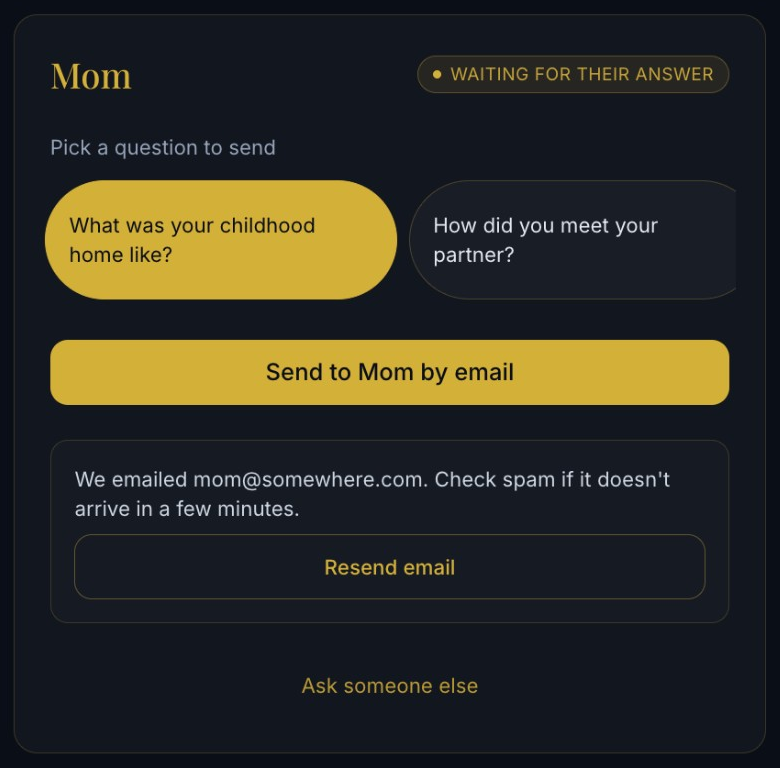
Inside your Aeterna vault, you will find our Send a Question feature. The path is intentionally simple, keeping you in control of the setup while keeping them in a space they already know and trust: their email inbox.
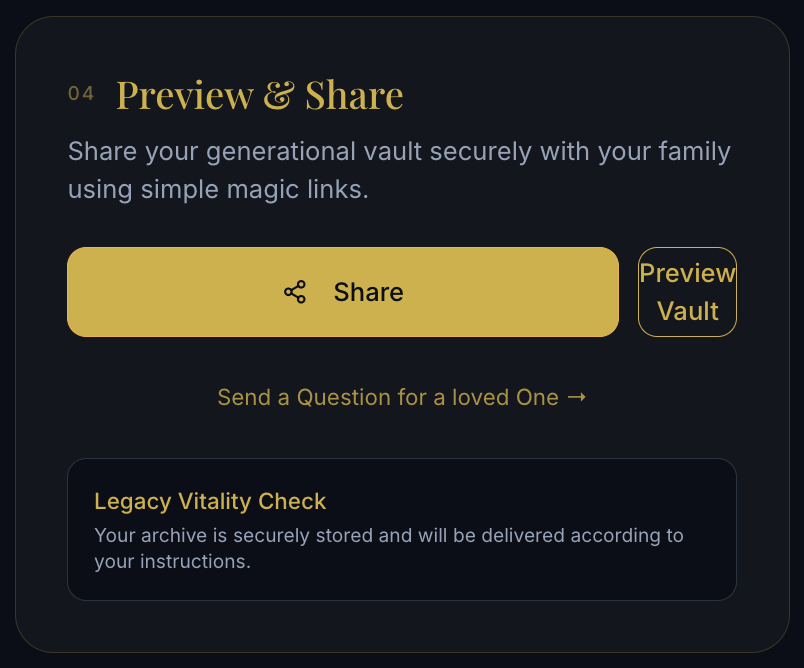
How it works in 4 simple steps
Identify Your Storyteller: Enter a warm, familiar name (Mom, Dad, Nana).
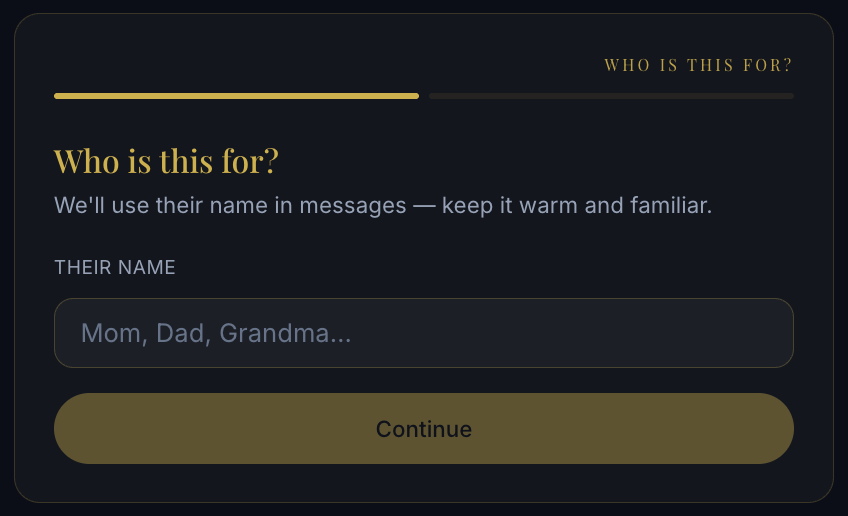
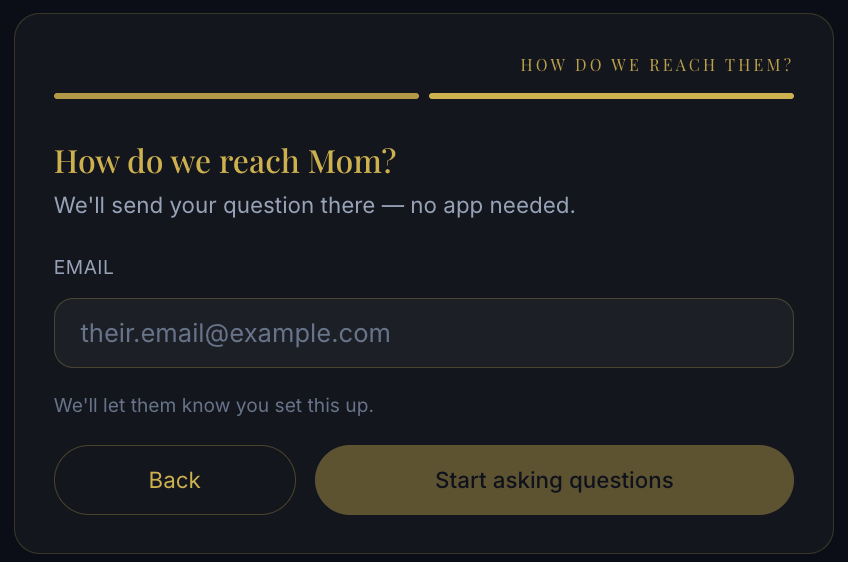
Provide Their Email: Tell us where to reach them. We'll send the invitation on your behalf—no app downloads required.
Select a Spark: Choose a meaningful question from our catalog, like:
- "What was your childhood home like?"
- "How did you first meet your partner?"
- "What is a lesson from your parents you never forgot?"
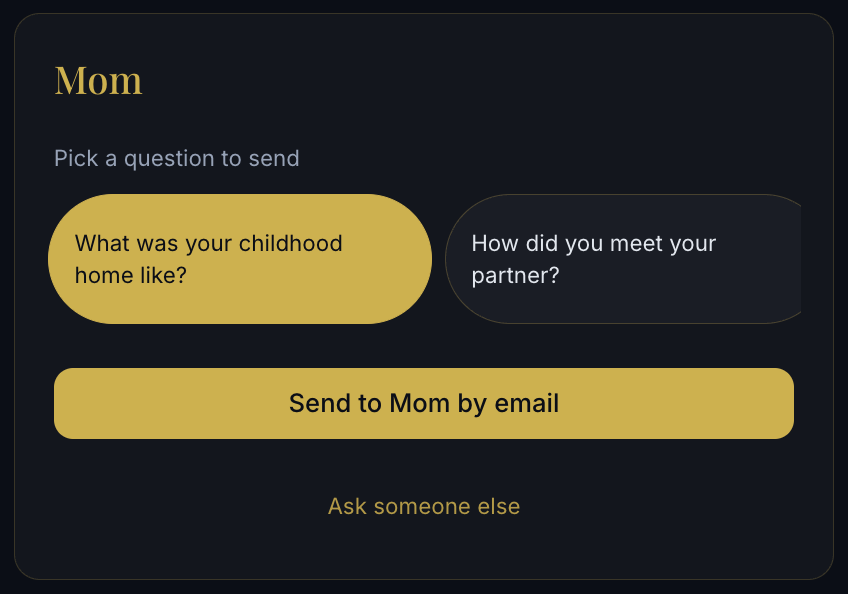
Send with One Click: If they miss the email, you can easily resend it from your dashboard.
"My father would never download an app to type out his life story. But when I sent him a single question about his first car, he talked for an hour. Johnny captured all of it."
— Elena R., Aeterna Member
They Get Johnny—Not a Puzzle
When your relative opens your email, they aren't dropped into a dense product tour, a settings menu, or a blank page.
Instead, they click a single link and enter a warm, distraction-free chat with Johnny, Aeterna’s conversational guide.
The conversation starts automatically with the exact question you selected. From there:
- They can answer in their own words, at their own pace.
- They can type their response or simply speak it.
- Johnny gently guides the flow, asking thoughtful follow-ups to help them expand on their memories.
No passwords to remember. No onboarding flows to complete. Just a comfortable, one-on-one conversation that feels like catching up with an old friend.
Watch the short video on Support — a 2-minute walkthrough of sending a question to a loved one.
Built for Real Families
Great family archives are rarely built by a single person, but they do need an anchor. We designed this feature to respect the natural roles we play in our families:
You are the archivist. You organize the vault, curate the photos, and care about preserving the family legacy for future generations.
They are the storytellers. They don't need to care about cloud storage or digital organization—they just want to reminisce about home, childhood, and the people they loved.
Aeterna is the bridge that connects the two of you seamlessly.
You can share the completed vault with the rest of the family when you are ready. But you can start collecting the stories today.
Start the Conversation Today
Your loved ones have a lifetime of stories waiting to be asked. Don't let a login screen get in the way.
- Sign in to your Aeterna vault.
- Go to Preview & Share on your dashboard.
- Select Send a Question for a loved One.
- Choose someone you love, pick a question, and let Johnny take the first step with them.
Prefer to see it first? Open the Support video.