
Give the Gift of a Voice — Family Interview, Gift Setup, and One-Tap Recording
For years, the hardest part of preserving a digital legacy was not the technology.
It was the moment before the first memory — when a son or daughter wanted to give Mom or Dad something meaningful, but the parent felt overwhelmed, forgot the password, or simply never got past the signup screen.
Today we are shipping a set of features built for that moment.
Adult children can now buy, prepare, and send a gift. Parents can answer with one tap. And everyone can reach the first saved story faster.
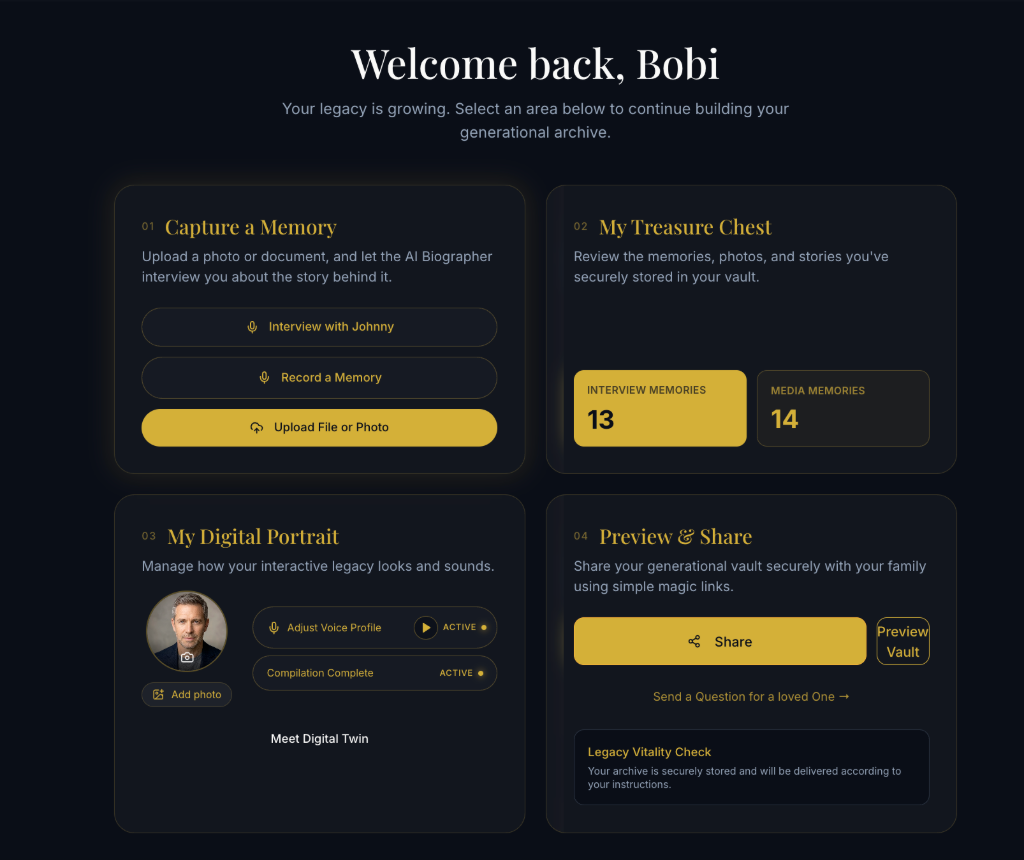
1. Gift Setup — so the gift does not gather dust
We have seen it too often: a thoughtful child buys a memoir or legacy product, sends a link, and… silence. The parent opens it once, feels lost, and the gift sits unused.
Gift Setup fixes the sequence.
Before you send the claim link, you:
- Pre-fill the vault profile — name and relationship
- Choose three personalized prompts — e.g. "Dad, tell us about your first car"
Only then does the claim link go out.
Your Gifts dashboard shows setup progress and coarse activation — claimed? first memory saved? — without giving you access to their private vault. They own their stories. You own the gift and the gentle nudge.
Billing stays with the buyer. Memories stay with the Archiver.
2. Family Interview — one question, one tap, one voice
Send a Question was already one of our most loved flows. Family Interview makes it the center of how families grow a vault together.
Pick a prompt from a curated library — or write your own — and send it to your parent's vault from Family. They receive a link that opens a calm, navy-and-gold screen:
"Sarah asked: Tell us about the day you met Grandma."
[ Start recording ]
No app download. No password. No two-factor code on a Tuesday afternoon.
This is the viral loop we care about: beneficiary sends → parent answers by voice → family hears a real story within 24 hours.
If you have not tried it yet, read our earlier guide: How to Capture Your Family's Stories Without Forcing Them to Learn a New App.
3. Zero-auth capture — links that respect how elders actually use phones
Email scanners and messaging previews should never burn a one-time link before a parent taps it.
So capture works in two steps:
- Opening the link — read-only preview (safe for bots)
- Tapping "Start Recording" — session binds; microphone activates
The screen is built for seniors: large targets, plain language, high contrast, and a clear choice after recording:
- Share with Family Now — everyone can hear it right away
- Seal in Legacy Vault — keep it private until Legacy Pulse
Your voice. Your timing. Your rules.
Faster first memory — Magic Moment v2
Onboarding now routes new Archivers straight into a streamlined first interview: hear Johnny ask one question → record your answer → see the transcript → hear Johnny respond.
No waiting for voice cloning or photo animation to "unlock" the experience. Those deepen the vault in the days that follow — they no longer block the emotional win in the first two minutes.
If you have ever watched a parent light up when they hear their own words come back — that is the moment we are optimizing for.
iOS: native StoreKit on TestFlight
The iOS app now includes a StoreKit 2 billing plugin, wired to the same product catalog as web and Android. TestFlight builds can complete a purchase in-app and verify entitlements server-side — no redirect to a browser checkout.
Web and Android paths are unchanged. iOS users on TestFlight get a native, App Store–compliant experience as we prepare for broader App Store rollout.
Spanish and German guides expanded
We also expanded Tier 1 translations for families in Spanish and German — including our Storyworth alternative and 2026 digital legacy apps guides — with native-quality copy for international families.
What this means for your family
Who What changes Adult child (buyer) Set up a gift, track activation, send Family Interview questions Parent (Archiver) Answer by voice with one tap; choose what to share and when Grandchildren (later) Hear real stories in a real voice — not just read themA digital legacy is not a file cabinet. It is a conversation across generations. These features make starting that conversation feel as natural as handing someone the phone and saying, "Tell us about that summer."
Ready to try it?